> For the complete documentation index, see [llms.txt](https://docs.sollumz.org/llms.txt). Markdown versions of documentation pages are available by appending `.md` to page URLs; this page is available as [Markdown](https://docs.sollumz.org/2.4/documentation/fragments.yft/vehicle-setup/import-settings.md).
# Import Settings
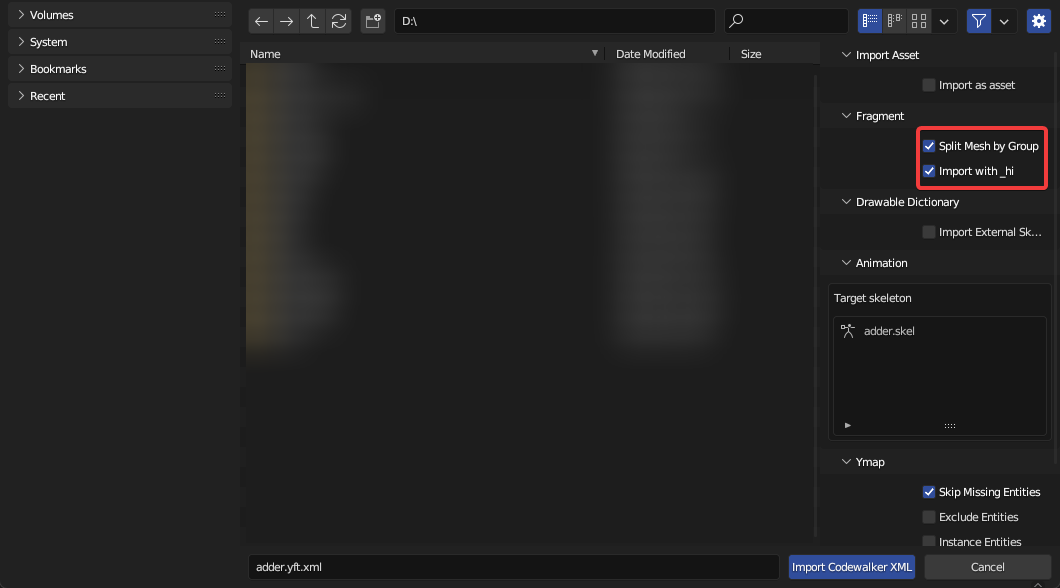
There are two import settings that determine how Fragments import: `Split By Group` and `Import with _hi`.
Import Codewalker XML > Fragment
#### Split By Group
Split By Group will split the Drawable by vertex group. This is typically what you want when editing vehicles, as vehicles are skinned (i.e. rigged with weighted vertex groups), so there is typically only one Drawable Model containing many vertex groups as opposed to multiple Drawable Models each linked to a bone (see [Drawables > Rigging > Skinning](/2.4/documentation/drawables.ydr/rigging.md#skinning) for more info on rigging Drawables).
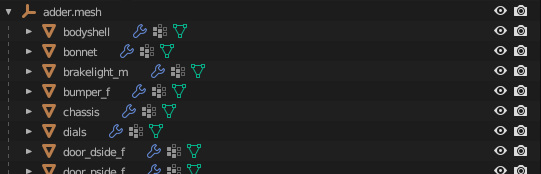
Here is what `adder.yft` looks like when split by group.
adder.yft split by vertex group
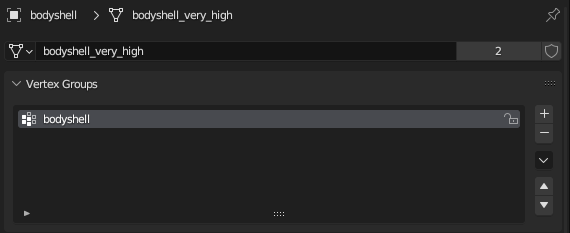
Notice how each object represents a separable part of the vehicle. Since it's split by vertex group, each object will only have one vertex group.
bodyshell
{% hint style="info" %}
While the Drawable is initially set up with one vertex group per object, it is perfectly fine for an object to contain multiple vertex groups.
{% endhint %}
Each object also has an armature modifier with the Fragment as the target object.
#### Import with \_hi
Vehicle Fragments have an additional LOD level that is stored in a separate file named `_hi.yft`. For adder, it would be called `adder_hi.yft`. This is the highest level of detail and is what the player sees when close to the vehicle (i.e. when driving). It is very cumbersome to work on two separate YFTs so Sollumz stores this extra LOD level in the `Very High` LOD level. This enables you to work on both YFTs at once.
{% hint style="info" %}
You should only use this LOD level when working with vehicles. When a mesh is provided for the `Very High` LOD level, Sollumz will export an extra \_hi YFT that you don't need when working on props.
{% endhint %}
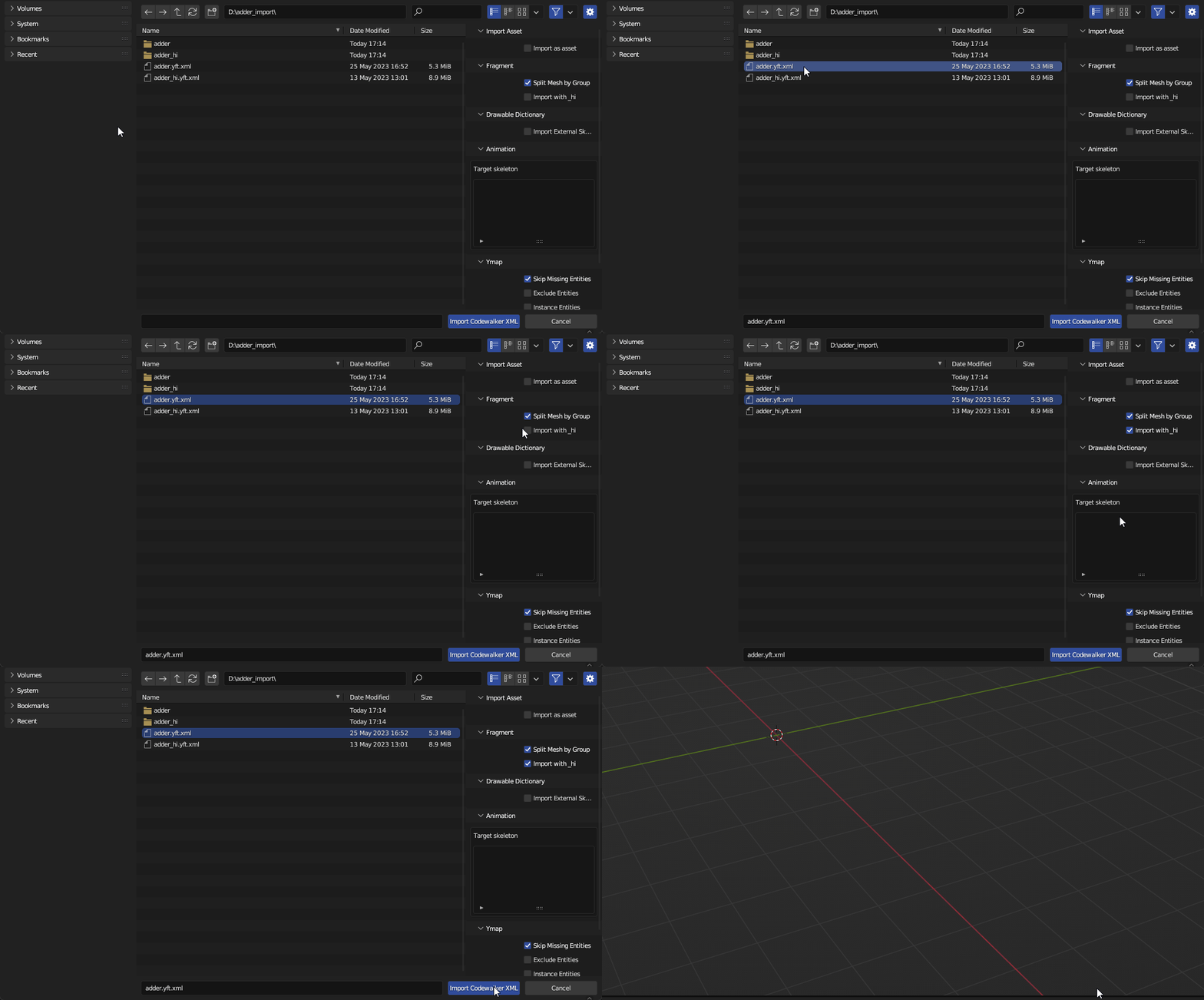
To import `Very High` LODs, first enable the `Import with _hi` option in the[ import settings panel](#import-settings), and ensure the \_hi YFT is in the same directory as the non-hi YFT. Then, **select the non-hi YFT** and import.
Importing adder.yft.xml with hi
{% hint style="info" %}
As with any Fragment/Drawable, if you want the textures to be automatically imported with the mesh, ensure you extract all textures to a folder with the **same name as the Fragment** in the **same directory**.
{% endhint %}
---
# Agent Instructions
This documentation is published with GitBook. GitBook is the documentation platform designed so that both humans and AI agents can read, navigate, and reason over technical content effectively. Learn more at gitbook.com.
## Querying This Documentation
If you need additional information that is not directly available in this page, you can query the documentation by asking a question.
Perform an HTTP GET request on the following URL with the `ask` and `goal` query parameters:
```
GET https://docs.sollumz.org/2.4/documentation/fragments.yft/vehicle-setup/import-settings.md?ask=&goal=
```
`ask` is the immediate question: it should be specific, self-contained, and written in natural language.
`goal` is what the user is ultimately trying to achieve, the reason they need the answer. Sharing it helps GitBook give you a better, more relevant answer. A goal is most helpful when it describes the outcome the user wants rather than restating the question. For example, with `ask=how do I create an API token`, a goal like `automate deployments from our CI pipeline` lets GitBook tailor the answer to that use case.
The response will contain a direct answer to the question and relevant excerpts and sources from the documentation.
Use this mechanism when the answer is not explicitly present in the current page, you need clarification or additional context, or you want to retrieve related documentation sections.